
A lighter working week · Part 4 of 5
Give home admin a place in your week
Stop carrying the whole list around
Book the appointment. Return the parcel. Check the renewal. Work out what is for dinner. These tasks are individually small, but they arrive throughout the working day. Give them one capture list and a regular time to review it. Urgent or safety-related tasks still need prompt attention. The aim is to give ordinary admin a reliable place, so it does not have to compete with every client task.
Capture the action, not the worry
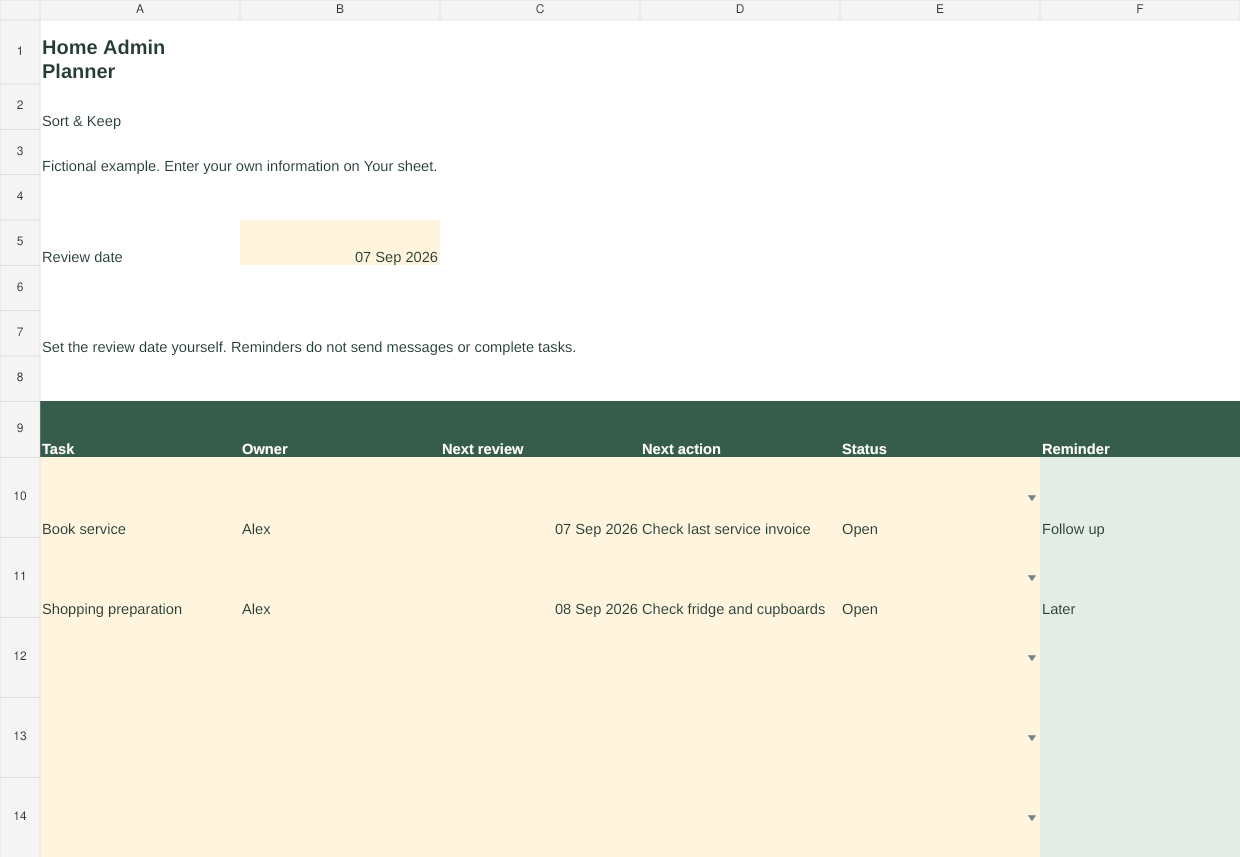
‘Car’ is a worry-sized label. ‘Check the service date in the last invoice’ is an action. ‘Food’ becomes ‘Check the fridge before writing the shopping list’. Add a due date where there is a real one, the person responsible and the next action. Leave unknown dates blank until you check them. Do not invent a deadline just to fill the sheet.
If you share a home, agree the owner of a task together. Writing someone’s name in a spreadsheet does not tell them about it. The free Home Admin Planner is a shared reference if you choose to share it, not a notification system.
Try a short session with a stopping point
Here is a fictional 25-minute session: five minutes checking due items, ten minutes making one booking and completing a return form, five minutes checking food already at home, and five minutes writing the next shopping list. That duration is only an example. A task that needs a long phone call may need its own appointment in your calendar.
At the end, mark completed items and carry forward a clear next action for anything unfinished. Stop adding new tasks to today’s session simply because they are easy to notice. A capture list can be longer than the list you commit to doing now.
Make shopping preparation a real task
Love Food Hate Waste Canada advises checking food already in your fridge, freezer and cupboards before planning meals and preparing a shopping list. A practical way to use that guidance is to add a recurring reminder to check what you have before the next shop. The sheet records the reminder; the separate Free Weekly Meal Planner gives you more room for the meals themselves.
Keep food-safety decisions separate from the admin list. A reminder to check food is not an instruction to use anything unsafe. Use the product’s storage instructions and appropriate food-safety guidance rather than a spreadsheet date as the deciding factor.
Keep recurring tasks honest
The mini planner has a ‘Next review’ date. It does not automatically book appointments, renew policies or complete a task because the date arrives. When you finish a recurring task, choose its next review date yourself. For a renewal, leave enough time to read the actual terms and consider your options. The workbook does not recommend a supplier or make a financial decision for you.
You may prefer one shared weekly review or separate responsibilities. Use the smallest arrangement that everyone involved understands. Avoid making one person the permanent manager of a list that is supposed to distribute the work.
Set it up with three items
Add one booking, one deadline and one routine check. Use a short description and a real next action for each. At your chosen review time, update the review date to see what is due. The example tab shows fictional tasks and the blank tab is ready for your own. Do not add account numbers or sensitive personal details; a reference to the original document is usually enough.
Sources and limits
- Love Food Hate Waste Canada: Plan your meal. Practical guidance on checking existing supplies and planning shopping. The broader home-admin routine and example session length are our suggestions.
For a related next step, see Free Weekly Meal Planner.