
Bill Tracker Spreadsheet: Keep Due Dates and Payments Clear
Create a bill list that distinguishes expected charges, due dates and confirmed payments.

Updated
From Sort & Keep, the maker of the linked workbook.
List the bills before the dates
A bill tracker is useful when it distinguishes what you expect from what has actually left your account. Gather recent bills and list each provider once. Include the service name, expected amount, billing frequency and the account used to pay it. Keep account numbers and passwords out of the sheet; a short account label is enough for this purpose.
Build a due-date view
For a separate DIY bill list, add next due date, payment method, status and a note. Use a real spreadsheet date rather than text such as next Friday. Keep variable charges marked as estimates until the bill arrives. Sort the whole table by date, including every column, so a provider does not become paired with somebody else’s amount.
Make status mean something
Use a few clear statuses: expected, bill received and payment confirmed. A scheduled direct debit is not the same as a completed payment. Update the record after checking your account or provider receipt. If the amount differs, write the actual figure and a short explanation. Keep the original bill somewhere you can find it, rather than copying its private details into notes.
Check the awkward weeks
Fictional example: three bills fall on the 4th, 6th and 8th, while payday is the 10th. Their amounts are £45, £28 and £62, a total of £135 before payday. A monthly total alone hides that timing. Highlight the dates for review alongside the money already available. The tracker records the gap; it does not change the payment arrangements or pay anything for you.
Use a repeatable review
Once a week, check the next fortnight and confirm last week’s payments. Once a month, look for annual renewals and changes in variable bills. Leave an item open if you have not verified it. If you cancel a service, keep the cancellation reference in your private records and check the final statement before removing the row. Archive completed periods so you can investigate a later query without relying on memory.
A workbook to start with
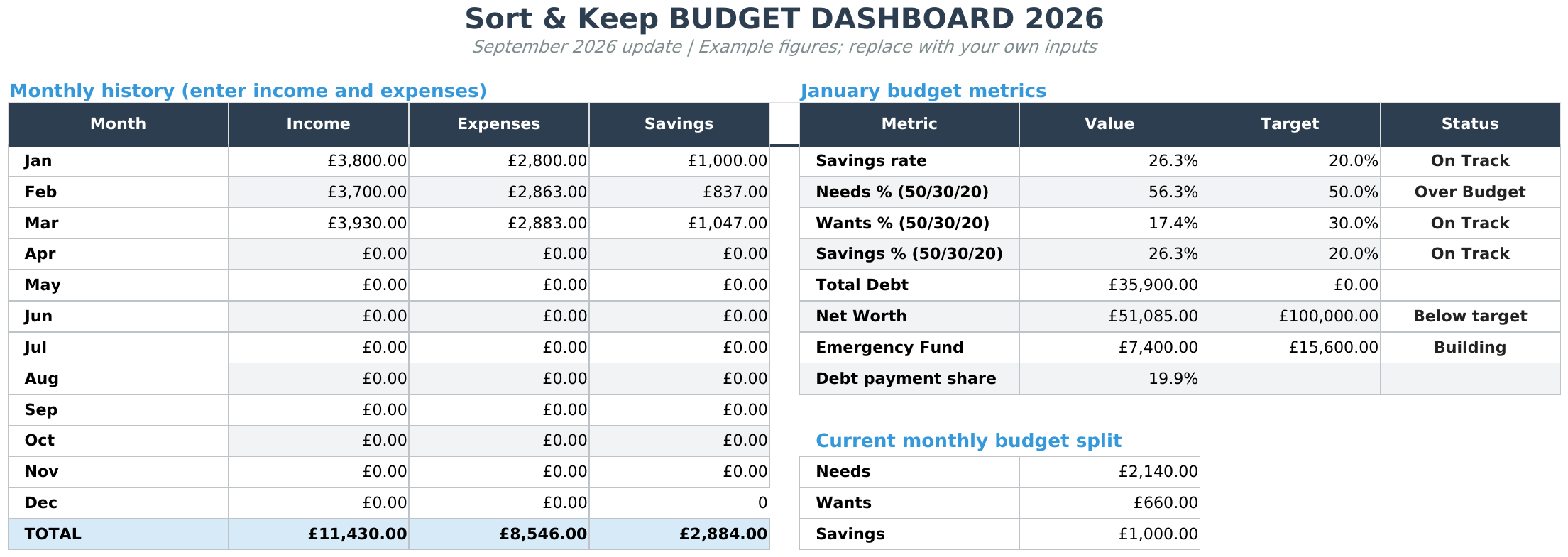
The Free Budget Tracker provides monthly budget, transaction and summary tabs. It is a free downloadable workbook for records you maintain yourself. See Free Budget Tracker.
The suggested DIY fields above describe the workflow, not a promise that every field is built into the supplied template. Keep an untouched copy, read the included instructions and work in Excel or import the file into Google Sheets.
Next read: Subscription Tracker Spreadsheet: Review Renewals Without Guesswork.



