
How to Set Up a Monthly Budget Spreadsheet You Will Actually Use

Updated
From Sort & Keep, the maker of the linked workbook.
Start with one month
A monthly budget needs a clear boundary before it needs a dashboard. Write the month at the top, choose which accounts you are recording and collect the statements or transactions for that period. Begin with the current month if sorting older records would delay starting. Keep your opening balance separate from income: money already in the account did not arrive twice.
Separate the plan from what happened
On your own sheet, use category, planned amount, actual amount and difference. Choose a handful of categories you recognise, such as home, food, transport and subscriptions. Enter known bills first. For variable spending, use a recent comparable month as a starting estimate, then label it as an estimate. A blank actual amount should mean not yet checked, rather than nothing spent.
Log purchases consistently
Record the date, description, amount and category. Decide how to handle transfers between your own accounts so they are not counted as new earnings or duplicate spending. If you record individual card purchases, do not count the later card repayment as the same spending again. Keep unclear entries in a short review list until you can identify them.
Try a small worked example
Fictional example: a household plans £300 for groceries and records £72, £81, £69 and £88 across four shops. The actual total is £310, which is £10 above the plan. That difference is a prompt to inspect the receipts. It does not show whether prices, guests, household supplies or extra meals caused it. Add a note before changing next month’s figure.
Give the first week a check
After seven days, compare a few entries with their source transactions and look for duplicates. Check that dates and decimal amounts display as intended. At month-end, note one category to adjust and one cost coming next month. Keep the finished month as a reference instead of overwriting it. The aim is a record you can understand later, without reconstructing what every number meant.
A workbook to start with
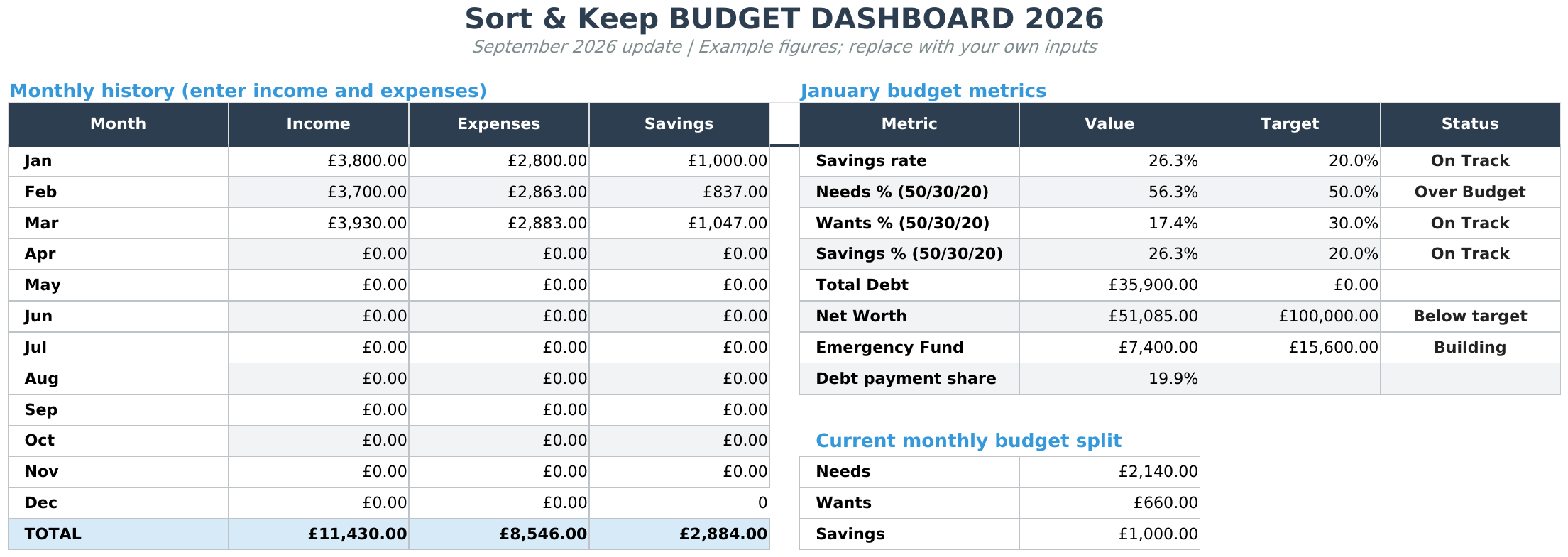
The Free Budget Tracker provides monthly budget, transaction and summary tabs. It is a free downloadable workbook for records you maintain yourself. See Free Budget Tracker.
The suggested DIY fields above describe the workflow, not a promise that every field is built into the supplied template. Keep an untouched copy, read the included instructions and work in Excel or import the file into Google Sheets.
Next read: Bill Tracker Spreadsheet: Keep Due Dates and Payments Clear.



