Budget Template for Freelancers: Managing Irregular Income
Budget template for freelancers handling irregular income, tax set-asides, and dry spells. Five options tested. Find the right fit.
From Sort & Keep, the maker of the linked templates. Our current product prices update with your selected currency. Worked examples and third-party prices keep their stated currency and date.
You invoiced a client 47 days ago. They said net-30. It's now net-47 and counting. Meanwhile, rent is due Friday, your quarterly tax estimate is due next week, and the project you were counting on for April just got "pushed to Q3." Your bank balance says one thing. Your pipeline says another. Neither number is the one you actually need.
This is the freelance income problem. And it's exactly why finding the right budget template for freelancers matters. The money isn't bad; plenty of freelancers earn well above the median salary. The problem is that it arrives in unpredictable chunks, and every standard budgeting tool assumes you get paid the same amount on the same day every month.
Most failed within the first irregular month. Here's what we found, what actually works, and how to build a budgeting system around income that refuses to behave.
Get the Freelance Command Center → One spreadsheet for budgeting, client tracking, and tax set-aside. £14.39 one-time, no subscription.
Why Standard Budget Templates Break for Freelancers
The 50/30/20 rule is a solid framework. If you have a payslip. For freelancers, it falls apart in three specific ways:
It assumes fixed monthly income. The 50/30/20 split only works when you know what 100% is. If you earned £6,200 last month and £1,800 this month, your "50% needs" budget swings from £3,100 to £900. Rent doesn't swing with it.
It ignores quarterly tax. Employees have tax deducted at source. Freelancers don't. If you're not setting aside 25-35% of every invoice for tax (the exact percentage depends on your bracket and location), you'll get a nasty surprise every quarter. In the UK, HMRC's payment on account system means you might owe next year's tax in advance too.
There's no buffer for the gaps. No sick pay. No paid holiday. No employer pension contribution. Every day you don't work is a day you don't earn, and traditional budgets don't account for building a runway that covers the dead months.
This doesn't mean budgeting is impossible for freelancers. It means you need a different method.
The Irregular Income Budgeting Method
The approach that actually works is priority-based spending tiers. Instead of splitting income by percentage, you rank your expenses in order of survival priority and fund them from the top down based on what you actually received this month.
Tier 1. Survival (fund this first, always)
Rent or mortgage, utilities, groceries, minimum debt payments, essential insurance. For most people, this lands between £1,200 and £2,200 per month. Know your number exactly.
Tier 2. Business Costs
Software subscriptions, domain renewals, equipment, professional development, coworking space. These keep the income flowing. Cutting them saves money short-term and kills revenue long-term.
Tier 3. Tax Set-Aside
Every pound that comes in, skim 25-35% into a separate account immediately. Not at the end of the month. Not when you "get around to it." The moment an invoice clears, move the tax money. We use 30% as a default. It's slightly conservative for most UK and US brackets, which means you'll usually get a small refund rather than a surprise bill.
Tier 4. Growth and Runway
Emergency fund contributions, retirement savings (SIPP, ISA, 401k, IRA), business investments. The target is 3-6 months of Tier 1 expenses in a liquid savings account before you start thinking about anything else.
Tier 5. Lifestyle
Everything else. Dining out, holidays, new gear, entertainment. This tier gets funded last. In a good month, it gets funded generously. In a lean month, it gets nothing. And that's fine, because Tiers 1-4 are already covered.
The key point: in a £1,800 month, you fund Tiers 1 and 3, maybe part of Tier 2, and stop. In a £6,200 month, you fund everything through Tier 4 and put the surplus into Tier 5 or back into your runway. The tiers don't change. The funding level does.
Budget Templates and Tools for Freelancers: Options to compare
We evaluated five approaches, from a basic spreadsheet to dedicated freelance platforms. For each, we tracked whether it could handle the core freelance challenges: variable income, tax set-aside, invoice awareness, and multi-month planning.
1. Basic Spreadsheet (Google Sheets / Excel)
Platform: Google Sheets or Excel
Price: Free
Best for: Freelancers who want total control and don't mind building it themselves
You can absolutely build a freelance budget in a blank spreadsheet. We did it. It took about two hours to get something functional. Income log, expense categories, tax set-aside formula, and a basic dashboard.
Pros:
- Completely free
- Total flexibility to match your exact workflow
- No vendor lock-in; your data stays yours
- Works offline (Excel) or from any device (Sheets)
Cons:
- You have to build everything from scratch
- Formulas break when you add rows in the wrong place
- No invoice tracking, no client awareness, no tax reminders
- Maintaining it becomes a job in itself
Verdict: Works if you're disciplined and enjoy spreadsheet building. Most freelancers start here, outgrow it within three months, and either upgrade or stop budgeting entirely. If you want a solid free starting point, our free budget tracker saves you the two hours of setup.
2. Cushion. Best for Visualising Cash Flow Gaps
Platform: Web app
Price: $8-24/month (14-day free trial)
Best for: Freelancers who need to see the future, not just the past
Cushion's core feature is a timeline that shows when invoices are due to arrive and when bills are due to go out. It maps your cash flow forward in time, so you can see the gap between "money I've earned" and "money that's actually in my account."
Pros:
- Invoice scheduling and payment tracking
- Visual cash flow timeline is genuinely useful
- Clean, focused interface
- Helps you spot dry spells before they hit
Cons:
- $8-24/month is steep for a freelancer watching every pound
- Not a full budget tool; it's more of a forecasting layer
- No tax calculation or set-aside features
- Limited expense tracking; you still need something else for the budget side
Verdict: The cash flow visualisation is the best we've seen for freelancers. But at $16/month (the mid-tier most people need), it's $192/year for a tool that handles one part of the problem. Pair it with a spreadsheet for the actual budgeting.
3. Harpoon. Best for Revenue Forecasting
Platform: Web app
Price: $29-59/month (14-day free trial)
Best for: Established freelancers or small agencies with revenue targets
Harpoon is built around a revenue goal. You set an annual target, and it tracks your progress against it, showing whether your current pipeline, retainers, and pending invoices will get you there.
Pros:
- Annual revenue goal tracking with projections
- Built-in time tracking and invoicing
- Expense tracking with profit margins per project
- Shows your effective hourly rate per client
Cons:
- $29/month minimum; $348/year, which is hard to justify early on
- Overkill for solo freelancers earning under £50k
- No dedicated tax set-aside or quarterly payment features
- The UI feels dated compared to newer tools
Verdict: Genuinely useful for freelancers billing £60k+ who need to manage a pipeline. For everyone else, the price-to-value ratio doesn't hold up. The revenue forecasting concept is sound, though, and a good spreadsheet template can replicate the core of it.
4. FreeAgent. Best for UK Freelancers and Tax
Platform: Web app + mobile
Price: £24/month (free for sole traders via some UK banks, including NatWest and Mettle)
Best for: UK-based freelancers who want MTD-compliant accounting with budgeting features
FreeAgent is a proper accounting platform, not just a budgeting tool. It handles invoicing, expense tracking, bank feeds, and, critically for UK freelancers, it calculates your Self Assessment tax liability in real time and generates the return.
Pros:
- Real-time tax liability calculation (Income Tax + National Insurance)
- MTD for Income Tax compliant (mandatory from April 2026)
- Automatic bank feeds from major UK banks
- Generates Self Assessment tax return
- Free through NatWest, Mettle, and a few other banks
Cons:
- £24/month if you don't qualify for the free banking offer
- Accounting software, not a personal budgeting tool; it tracks business money, not personal spending
- Learning curve is significant; expect 2-3 hours of setup
- US tax support is limited compared to QuickBooks
Verdict: If you're a UK freelancer or sole trader, FreeAgent is hard to beat, especially if you can get it free through your bank. But it handles your business finances, not your personal budget. You still need a separate system for the "how much can I spend on groceries this month" question. If you're tracking deductible business expenses, the Tax Deduction Tracker fills that gap without the monthly fee.
5. Freelance Command Center Spreadsheet. Best All-in-One Spreadsheet for Freelancers
Platform: Google Sheets
Price: £14.39 one-time
Best for: Freelancers who want business + budget in one place without a monthly fee
Full disclosure: we built this. Here's why it's on this list.
After testing everything above, the pattern became clear: freelancers either pay £24-59/month for dedicated software that handles some of the problem, or they cobble together free tools that handle other parts. Nothing brought the budget side and the business side into one place at a price that makes sense for someone in the early years of freelancing.
The Freelance Command Center combines client tracking, time logging, income and expense tracking, tax set-aside calculations, and the priority-tier budget method described above, all in a single Google Sheet.
Pros:
- Client CRM, invoicing tracker, time log, tax estimator, and budget in one sheet
- Priority-tier budgeting built around irregular income
- Automatic tax set-aside calculation (configurable percentage)
- Effective hourly rate per client; shows which clients are actually profitable
- £14.39 one-time, no subscription
- Works on mobile via Google Sheets app

The KPI dashboard. YTD income, profit margin, effective hourly rate, and quarterly tax liability at a glance.
Cons:
- Google Sheets only (no Excel version)
- Manual data entry; no bank feeds
- Not a replacement for proper accounting software at tax time
- Newer product; community and documentation still growing
Verdict: This is the tool we wished existed when we started freelancing. One spreadsheet that handles irregular income, tax set-aside, client profitability, and priority-based budgeting, without a monthly fee. Get the Freelance Command Center on Sort & Keep (£14.99) →
UK edition built for British finances. HMRC Self Assessment categories, council tax tracking, National Insurance (Class 2 and Class 4) calculations, ISA allowances, and GBP formatting throughout. US edition included with IRS tax brackets, 401(k) tracking, and USD formatting.
What a Budget Template for Freelancers Actually Needs
When evaluating any budget tool as a freelancer, here's the checklist that separates useful from useless:
Tax set-aside calculator. The tool should automatically calculate and track how much of your income needs to go to tax. Not as a manual note. As a formula that runs every time you log income. If you're in the UK, that means Income Tax + Class 2 and Class 4 National Insurance. In the US, it's federal + state + self-employment tax (15.3%).

The tax estimator tab. Every invoice logged automatically updates your running tax liability so quarterly payments are never a surprise.
Invoice tracking with payment status. You need to see the difference between "money I've earned" and "money I've received." An invoice sent is not income. An invoice paid is. Your budget should be based on cash received, not revenue accrued.
Quarterly payment reminders. In the UK, Self Assessment payments on account are due 31 January and 31 July. In the US, estimated tax payments are due 15 April, 15 June, 15 September, and 15 January. Missing these deadlines means penalties. Your budget tool should surface these dates.
Multi-month view. A monthly budget isn't enough for irregular income. You need to see at least a rolling 3-month view, ideally 6 or 12, to spot seasonal patterns and plan for lean periods. If you always dip in January and peak in September, your budget should reflect that. Read our guide on how to track freelance income and expenses for a step-by-step system that works with any tool on this list.
IR35 and self-assessment awareness (UK). If you're a UK contractor working through a limited company, IR35 status affects how you pay yourself. Inside IR35, you're effectively taxed as an employee. Outside, you have more flexibility. A freelance budget tool doesn't need to calculate this, but it should at least acknowledge that your tax rate depends on your working arrangement.
Effective hourly rate. Gross revenue per client tells you nothing useful. What matters is: after expenses, admin time, and revision rounds, how much did you actually earn per hour on this project? This is the number that tells you which clients to pursue and which to fire.
Price Comparison
| Tool | Price | Tax Calc | Invoice Tracking | Budget Tiers | Multi-Month View |
|---|---|---|---|---|---|
| Basic spreadsheet (DIY) | Free | Manual | No | Manual | Manual |
| Cushion | $8-24/month | No | Yes | No | Yes |
| Harpoon | $29-59/month | No | Yes | No | Yes |
| FreeAgent | £24/month (or free) | Yes (UK) | Yes | No | Limited |
| Freelance Command Center | £14.39 one-time | Yes | Yes | Yes | Yes |
So What Should You Actually Use?
Here's the decision tree:
"I just need a basic budget tracker and I'll handle tax separately." Start with our free budget tracker and adapt the 50/30/20 method using your average monthly income.
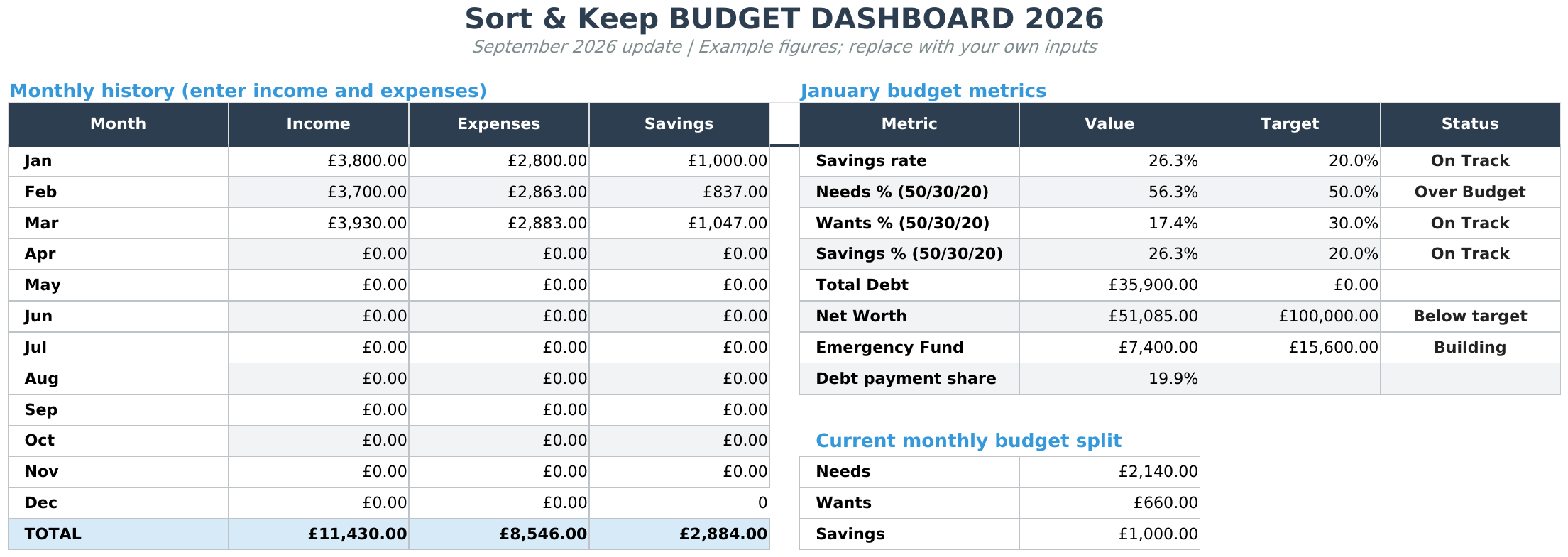
"I'm a UK freelancer and I need tax sorted." FreeAgent, especially if you can get it free through your bank. Pair it with a personal budget spreadsheet like the Budget Dashboard for the spending side.
"I want one tool for freelance budgeting, client tracking, and tax. No monthly fee." The Freelance Command Center. That's exactly what it's built for.
"I'm earning £60k+ and I need revenue forecasting." Harpoon or Cushion, combined with proper accounting software.
"I want to understand different budgeting methods first." Read our best budget spreadsheet templates for 2026 roundup and come back here once you've tried the basics.
The Bottom Line
Freelance income is irregular, but your expenses aren't. Rent doesn't care that your biggest client is 47 days late on a net-30 invoice. The taxman doesn't care that Q1 was slow. Your budget needs to absorb the chaos and give you one clear answer every month: how much can I safely spend, and how much needs to stay untouched?
The priority-tier method works because it stops pretending your income is predictable. Fund survival first. Set tax aside immediately. Build a runway. And only spend on lifestyle with whatever's left.
Whether you do this in a free spreadsheet, a dedicated app, or the Freelance Command Center, the method matters more than the tool. But the right tool makes it a five-minute habit instead of a Sunday afternoon chore. That's the difference between a budget you maintain and one you abandon by February.
Grab the Freelance Command Center for £14.99 on Sort & Keep →
Related Reads
- The 50/30/20 Budget Rule: Free Google Sheets Template
- Best Budget Spreadsheet Templates in 2026
- Freelance Command Center: The Full Breakdown
Get free spreadsheet templates and updates. New templates, feature updates, and practical guides delivered to your inbox. No spam, unsubscribe anytime.
Subscribe free → | Already have a template? Download the free budget tracker or free meal planner. No email required.
Choose the right next step
Use the Freelance Command Center for a freelance income and invoice tracker spreadsheet. Use the Rental Property Portfolio Tracker for rent, expense, deal and ROI tracking. The Business Essentials Bundle combines both workbooks.