
Budget Template for Single Parents: Keep Household Costs Together
Keep payments received, bills due and occasional household costs in one place. Practical examples and a free monthly budget spreadsheet.

From Sort & Keep, the maker of the linked workbooks. Updated 7 September 2026.
Household costs rarely arrive in a neat monthly pattern. A budget record can put payments received, bills due and occasional costs in one place, so you have less to reconstruct when you next open it.
You do not need a different budgeting rule because you are a single parent. Start with a layout that matches your household's dates and records. The Free Budget Tracker is one general monthly option; the examples below can also be kept in a blank spreadsheet.
Separate money received from money expected
For each incoming payment, record the date, source and amount. Where a payment has not arrived, keep it visibly marked as expected. That distinction is useful for wages, maintenance or any other payment you already know about.
This is a record-keeping method. The workbook does not calculate benefits, establish eligibility or predict maintenance payments.
Give occasional costs a visible place
Alongside recurring bills, keep a short list of known upcoming costs. Use the actual notice or bill when available, and label an amount as an estimate when it is not yet confirmed.
| Record | Useful details | Next check |
|---|---|---|
| School trip notice | Amount shown, payment deadline, reference | Mark paid after checking the payment record. |
| Childcare invoice | Period covered, invoice total, due date | Check the invoice against the sessions listed. |
| Replacement uniform | Item needed, known cost or labelled estimate | Replace the estimate with the receipt amount. |
| Shared expense repayment | What you paid, expected repayment, actual date received | Keep expected and received amounts distinct. |
These are examples of records you can create, not a description of an included school calendar, reminder service or specialist worksheet. The Free Budget Tracker provides general monthly budget, transaction and summary tabs.
A short check when you have time
- Add missing transactions from your own records.
- Check whether expected payments have arrived.
- Look at the next known due dates.
- Mark anything you need to confirm, then leave a note so you can restart easily.
If you miss a check, pick up with the current period. Mark a gap rather than guessing figures. A usable record can contain unanswered questions.
Choose the amount of detail you will use
A separate category for every item can make a spreadsheet harder to maintain. Start with the groups that help you find information again. Use short transaction notes for details such as the invoice period or trip name.
If you need calendar alerts, keep them in a calendar you already use. These spreadsheets do not send payment reminders or connect to your bank.
Start with the free monthly workbook
See the Free Budget Tracker and its previews. The download is a ZIP of Excel (.xlsx) files, including UK, US and EUR editions. Use Excel or import the files into Google Sheets; access to your chosen software is separate. Enter your email to receive the download link. No payment is required and newsletter sign-up is optional.
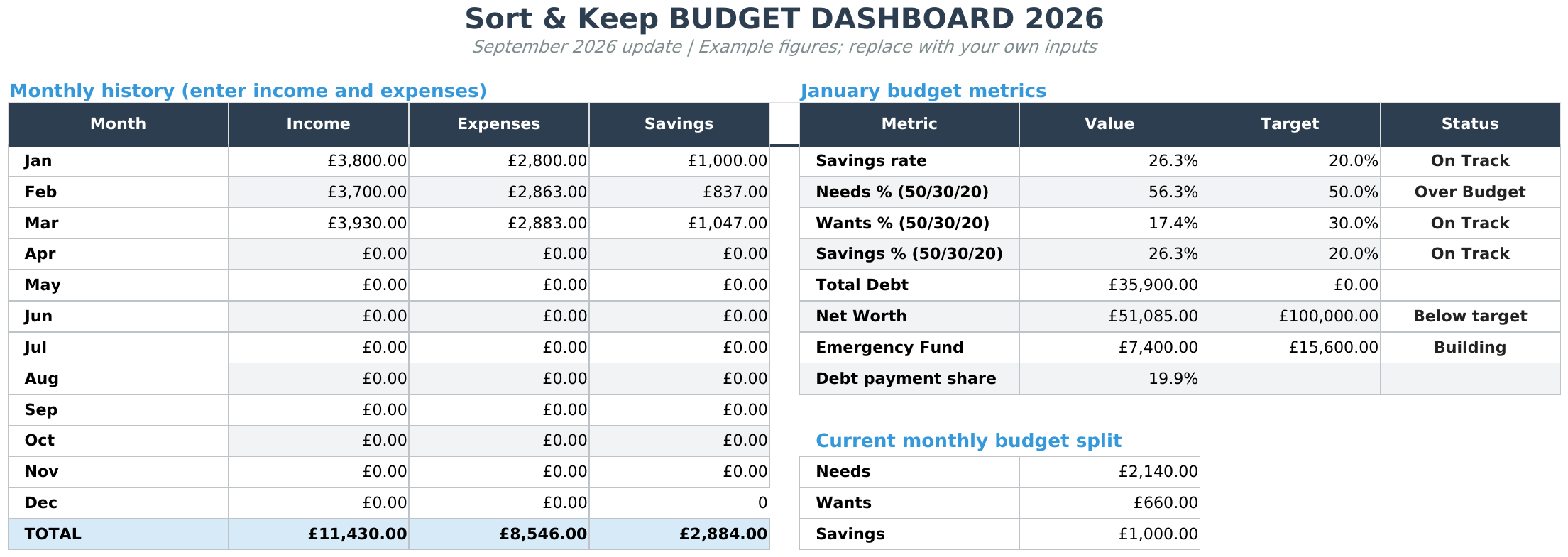
If you want debt, savings and net worth records too, compare the free tracker with Budget Dashboard 2026. The paid workbook page shows its tabs, current price and contents. It is a one-time purchase via Stripe, with a download link after payment and by email.
Choose the free workbook if monthly records are all you need. For the next practical step, follow the monthly budget setup guide.
Choose the right next step
Need a simple budget tracker spreadsheet? Start with the Free Budget Tracker. Use Budget Dashboard 2026 when you want budgets, debt, savings and net worth in one workbook. Choose the Complete Collection when several parts of life admin need sorting.



