
Budget Spreadsheet Templates 2026: Compare Free and Paid Options
Compare manual budget workbooks and spreadsheet services by task, format and cost. Choose a free starting point or the extra views you need.

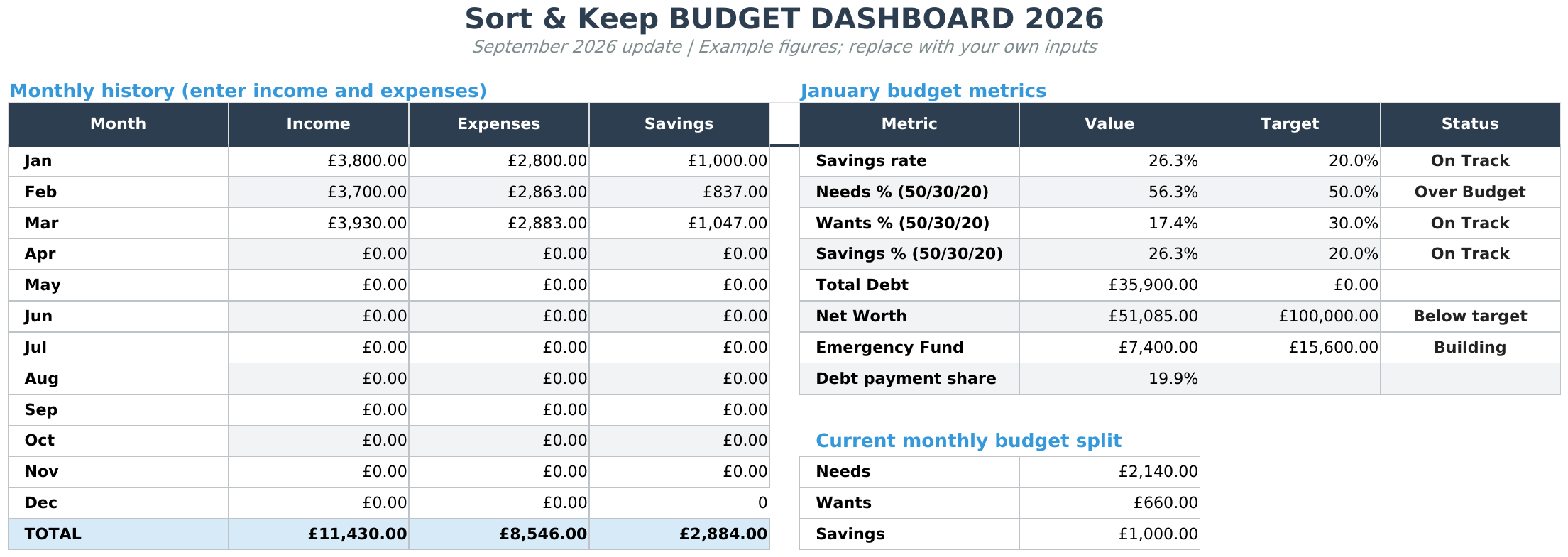
From Sort & Keep, the maker of the linked workbooks. Updated 7 September 2026.
The best budget spreadsheet is the one that fits the records you want to keep and the time you want to spend entering them. Start by deciding whether you want a simple manual tracker, several connected money views, or a subscription with bank connections.
This is a comparison of published product information, not a hands-on ranking. Sort & Keep makes two of the options below. Competitor details were checked against their official pages on 7 September 2026; check those pages before choosing.
Compare the options by task
| Option | Useful starting point | Cost and trade-off |
|---|---|---|
| Vertex42 budget templates | A choice of household, personal and other budget layouts. | Free for personal use. Choose the individual template whose layout and software support fit your task. |
| Google Sheets template gallery | A budget template you can copy within Google Sheets. | Start with the gallery available to your Google account. You maintain the entries and adapt the layout yourself. |
| Sort & Keep Free Budget Tracker | Monthly budget, transaction records and spending summary. | Free. Enter your email for the download link; newsletter sign-up is optional. Manual entry. |
| Sort & Keep Budget Dashboard 2026 | Budget, debt, savings and net worth in one workbook. | A one-time purchase. See the product page for the current price and file previews. Manual entry. |
| Tiller | A spreadsheet service offering bank connections. | $99/year after its trial, according to its pricing page. Check support for your banks and region before subscribing. |
Choose the workflow before the design
If you want to understand one month: start with a free tracker. Add a small set of real transactions, then check that you can find the total you need without learning a complicated system. A plain layout can be enough.
If you also want debt, savings and net worth records: compare the actual tabs in a broader workbook. The reason to pay is that the additional views fit your task, not that a paid spreadsheet is automatically better.
If manual entry is the obstacle: a service with bank connections may be more suitable. Check the connection coverage and ongoing cost. Sort & Keep workbooks do not connect to your bank or automatically collect transactions.
Check these details before downloading
- File format: a native Google Sheets copy and an Excel file imported into Sheets are different starting experiences.
- Setup: look for readable previews and instructions, then check whether the examples match how you want to keep records.
- Maintenance: decide when you will add transactions and compare your entries with your own records.
- Access: check the software requirements, licence and delivery steps before paying.
Sort & Keep supplies Excel (.xlsx) files in a ZIP, with UK, US and EUR editions for these budget products. You can use Excel or import the files into Google Sheets. Access to your chosen software is separate. These are general record-keeping workbooks, not specialist couples, student or benefits tools.
Start free, or choose the extra views you need
For monthly income and spending, see the Free Budget Tracker and its workbook previews. Enter your email to receive a download link. No payment is required and newsletter sign-up is optional.
If you need the broader set of tabs, compare the free tracker with Budget Dashboard 2026, then see the paid workbook's contents and current price. Paid checkout uses Stripe; a download link is provided after payment and by email.
Whichever option you choose, begin with one period of your own records. The useful result is a clearer record you can return to, rather than a perfectly filled-in template.
Choose the right next step
Need a simple budget tracker spreadsheet? Start with the Free Budget Tracker. Use Budget Dashboard 2026 when you want budgets, debt, savings and net worth in one workbook. Choose the Complete Collection when several parts of life admin need sorting.



