
Student Budget Template: Plan Termly Money and Monthly Costs
See a fictional termly budget calculation, record monthly costs and choose a simple spreadsheet for your own student budget.

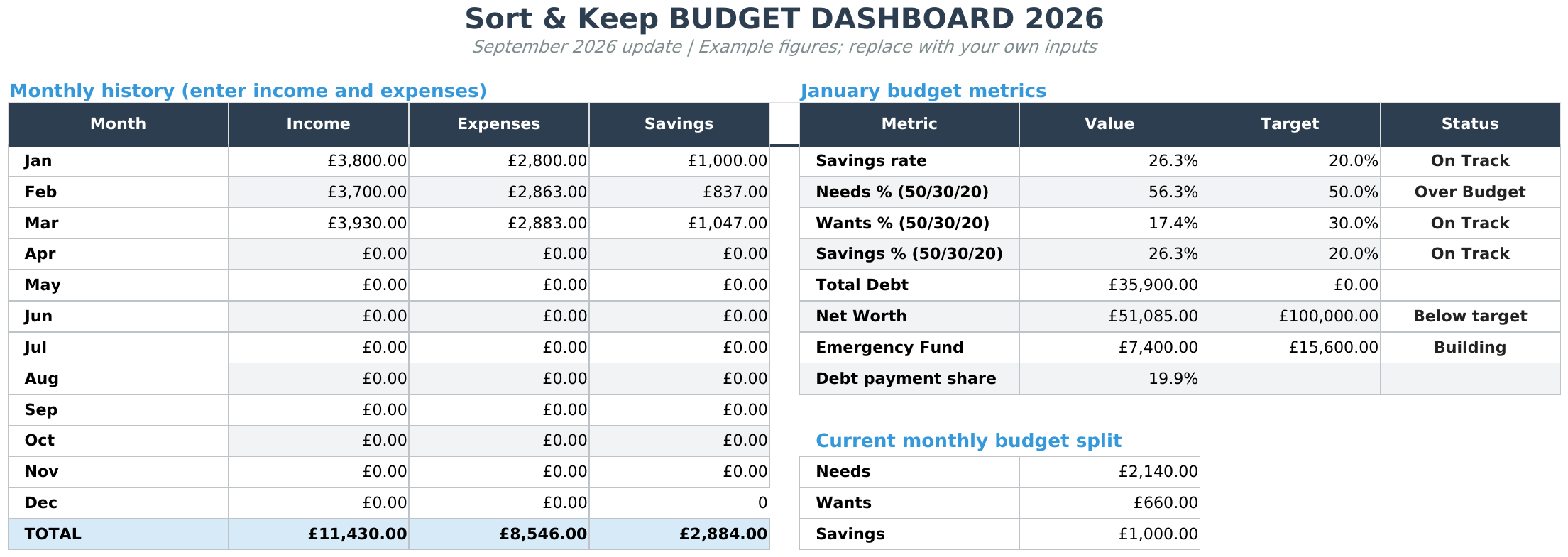
From Sort & Keep, the maker of the linked workbooks. Updated 7 September 2026.
A student budget can be awkward when money arrives once a term but rent, food and travel follow different dates. A useful spreadsheet gives each amount a date and a purpose, so a large balance does not have to stand in for a plan.
You can use the example below in a blank spreadsheet. If you want a ready-made monthly starting point, the Free Budget Tracker records your own budget and transactions. It is a general workbook, not a dedicated student-finance or termly calculator.
Start with the dates you need to cover
Write down when your next confirmed payment is due and which costs fall before it. Keep expected income separate from money already received. If work hours or payment dates change, update the record rather than treating the first version as a commitment.
- Record the period's start and end dates.
- List confirmed incoming payments with their dates.
- List costs such as accommodation, travel and course materials with their due dates.
- Keep irregular costs visible rather than hiding them inside an average month.
A fictional termly calculation
Teaching example only: these invented figures show the arithmetic, not what a student should receive or spend. This calculation is not an included feature of the Free Budget Tracker.
| Entry | Example amount |
|---|---|
| Money available for this example period | £3,000 |
| Accommodation due in the period | £1,800 |
| Other costs already listed | £200 |
| Amount left in this example | £1,000 |
| Weeks covered | 10 |
| Arithmetic weekly average | £100 |
The calculation is (£3,000 − £1,800 − £200) ÷ 10 = £100. This is only an average of the remaining amount. It does not prove that every week's costs are covered. An early travel payment or an omitted bill changes the picture.
To try it in a blank spreadsheet, put available money in A2, accommodation in B2, other listed costs in C2 and weeks in D2. Enter =(A2-B2-C2)/D2 in E2, using a positive number of weeks. Replace all four inputs with your own figures and check the costs you have included.
A weekly average does not show when costs fall
Suppose your fictional term calculation leaves £1,000 for ten weeks. The average is £100 a week, but that does not make every week identical.
Try these first three weeks in a blank sheet:
| Week | Starting amount | Costs entered | Amount after those costs |
|---|---|---|---|
| 1 | £1,000 | £160 | £840 |
| 2 | £840 | £80 | £760 |
| 3 | £760 | £90 | £670 |
The £670 left after week three is an arithmetic result based only on the costs shown. It is not a suggested spending allowance. A cost omitted from the sheet will also be missing from that result.
Put the starting amount in B2 and that week's costs in C2. In D2, use =B2-C2. Put =D2 in B3 to carry the result forward, then enter week two's costs. Continue for the actual number of weeks in your period.
Keep “planned” and “paid” amounts in different columns. When you buy a train ticket, enter what you paid and its date; do not simply leave the earlier estimate in place. Review shared costs in the same way: an expected repayment is still expected until it arrives.
This small table is a worked example you can build yourself. The Free Budget Tracker provides a monthly record; it does not include this dedicated ten-week calculation.
Turn the outline into a monthly record
Use your term outline to see the whole period, then record actual transactions as they happen. For example, a train ticket belongs on the date you paid for it, even if the journey is next month. Consistent dates make the record easier to check.
For shared bills, add a note identifying what you paid and whether any repayment has actually arrived. Do not count a promised repayment as a completed one. A short note is often more useful than adding another category.
Keep the review small enough to repeat
- Open your most recent records and add missing transactions.
- Check upcoming costs against the dates you have written down.
- Update changed amounts and mark estimates clearly.
- Leave one note about what needs checking next time.
You do not need to reconstruct every past term to start. One current period, with incomplete entries marked honestly, gives you a useful place to continue.
Choose a starting template
See the Free Budget Tracker for monthly budget, transaction and summary tabs. It arrives as a ZIP of Excel (.xlsx) files, including UK, US and EUR editions. Use Excel or import the files into Google Sheets; access to the software is separate. Enter your email for the download link. No payment is required and newsletter sign-up is optional.
If you later want debt, savings and net worth views alongside the budget, compare the free and paid workbooks. Budget Dashboard 2026 is a one-time purchase through Stripe, with a download link after payment and by email. Start with the free version if the additional views do not serve your current task.
For a walkthrough of the monthly routine, read how to set up a monthly budget spreadsheet.
Choose the right next step
Need a simple budget tracker spreadsheet? Start with the Free Budget Tracker. Use Budget Dashboard 2026 when you want budgets, debt, savings and net worth in one workbook. Choose the Complete Collection when several parts of life admin need sorting.



