
A lighter working week · Part 3 of 5
A client follow-up routine that gets loose ends out of your inbox
Separate a sent message from a finished task
Sending a proposal does not finish the decision. Sending an invoice does not mean it has been paid. Those items often disappear into the inbox because the next step belongs to someone else. A small follow-up list records what you are waiting for and when you will next check it. It can hold client approvals, missing files and payment queries together without becoming a second copy of your entire inbox.
Use one row per open loop
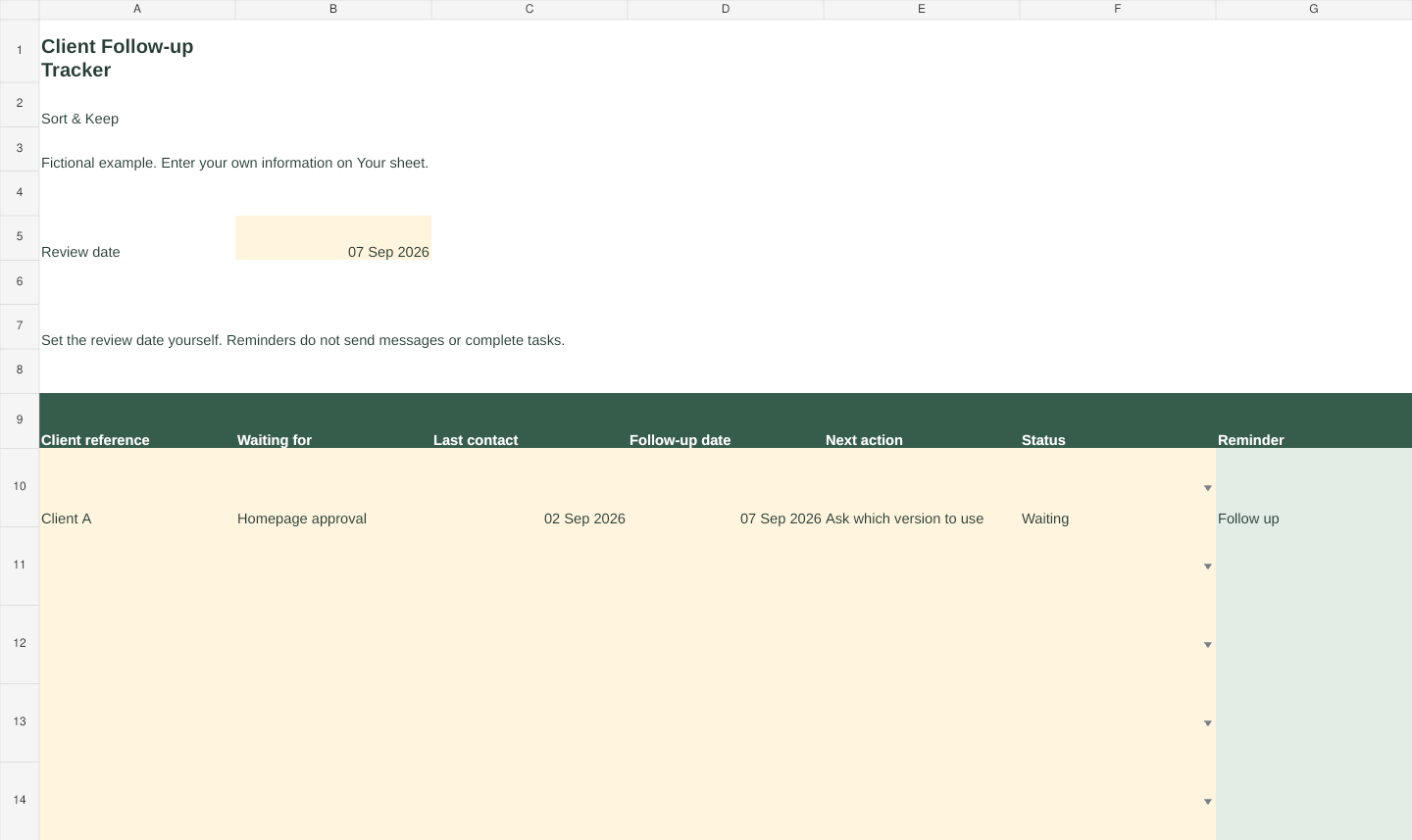
Enter a client reference, what you need, the date you last contacted them, your next follow-up date and a specific next action. Mark the row Open, Waiting or Done. The free tracker shows ‘Follow up’ when an unfinished row reaches your chosen date. It does not send messages, read your email or decide that an invoice is legally overdue. Dates are your own reminders.
Use a client code if the workbook is shared. Do not paste passwords, payment details or a complete email conversation into a tracking cell. Link to the source record in the system where you normally keep it.
A useful follow-up names the decision
For a fictional design client: ‘Hi Sam, I’m ready to finish the homepage. Could you confirm option A or B by Thursday? If you need longer, let me know and I’ll confirm the revised delivery date.’ That tells the client what to answer and why it matters. Avoid ‘just chasing’ without the original request, deadline or attachment.
For an invoice query: ‘Hi Sam, I’m checking invoice 104, sent on 2 September with the agreed due date of 16 September. Could you confirm it has reached the right person and let me know the expected payment date? I’ve attached a copy.’ Check your records first so you do not chase a payment already received.
Put the dates in the right place
Record the agreed invoice due date in your accounting records and use this tracker for the next contact action. GOV.UK explains that businesses can agree payment terms. It also sets out rules that can apply where a payment date has not been agreed. Read the current guidance if you need to determine your rights; do not use a reminder spreadsheet to make that judgement. We have deliberately left interest, penalties and legal deadlines out of the mini workbook.
Review the list in a bounded session
Choose a regular point in your week to filter for ‘Follow up’. Open the source thread, check what changed, send only the messages still needed, and give each remaining item a new action. Close finished rows. If a dependency blocks promised work, review it sooner than your routine slot.
In the fictional example, the client owes an approval and the next action is ‘Ask which version to use’. Once they reply, mark the row Done and schedule the actual design work in your weekly plan. Keeping these separate prevents waiting items from filling your work calendar.
Keep the system small
Start with five genuinely open items. If you add every sent email, the list will become another inbox. Include only items with a consequence if they are forgotten. The workbook includes an editable review date, a blank tracker and a fictional example. It works as a manual follow-up aid; it is not an accounting package. For broader client and business organisation, the related Freelance Command Center is the next step.
Sources and limits
- GOV.UK: Invoicing and taking payment, payment obligations. Official UK guidance on agreed payment terms. The workbook records user-selected reminders and does not calculate legal deadlines or charges.
For a related next step, see Freelance Command Center.